Create Firewall
Overview
- This feature lets users create a Cloud Native Firewall and integrate it with VPCs in the same Protected Group.
Procedure
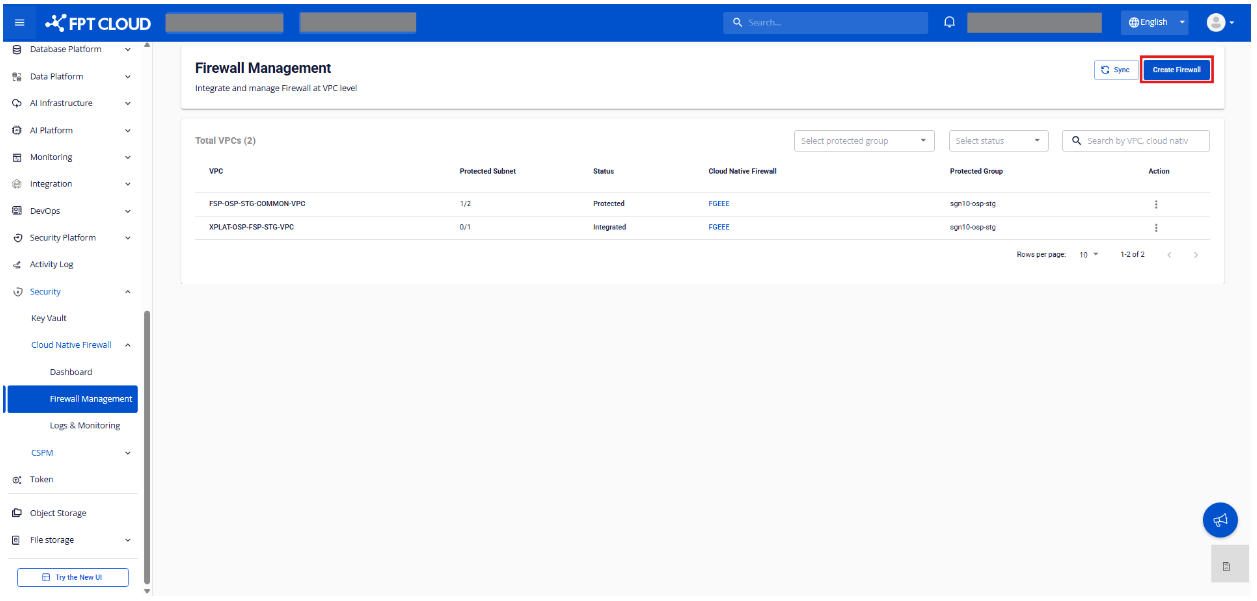
Step 1. On the Firewall Management screen, click Create Firewall. The system displays the create-firewall screen.
Step 2. Enter firewall information and select the VPCs to integrate.
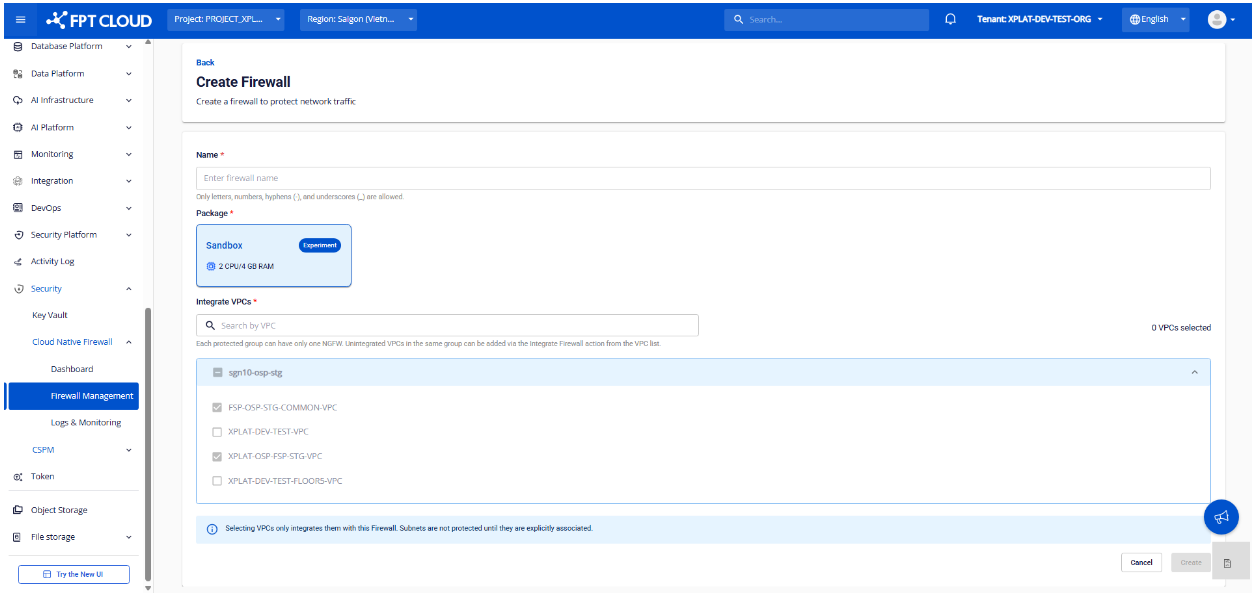
Firewall fields:
| Field | Description |
|---|---|
| Name | Firewall name |
| Package | Firewall package details |
VPC list:
- Grouped and displayed by Protected Group (Site - Region)
- Lets you select one or more VPCs in the same Protected Group
- Supports searching VPCs by name
Note: Each Protected Group can have only 1 Firewall.
Step 3. Click Create to create the firewall.
Step 4. Verify the creation result on the Firewall Management screen.
| State | Display |
|---|---|
| Created successfully | Firewall name shown next to the integrated VPC |
| In progress | Firewall name shown with a loading state |
| Creation failed | Firewall name shown with an error state |
Handling failures:
- If the Protected Group has no firewall yet → click Create Firewall to retry.
- If the Protected Group already has a firewall → click Integrate Firewall to integrate instead.