Associate Subnet
Overview
- This feature lets users associate or dissociate a VPC subnet with the Cloud Native Firewall.
- Only associated subnets are protected by the firewall.
Procedure
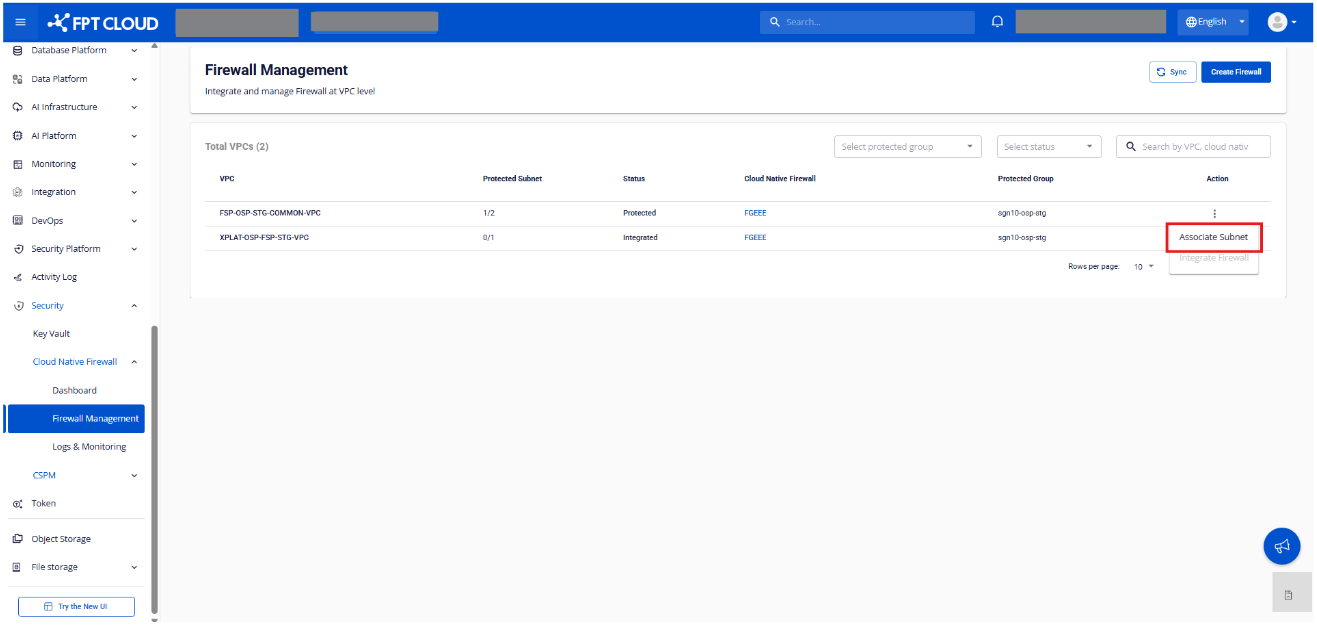
Step 1. On the Firewall Management screen, click Associate Subnet for a VPC that already has a Firewall integrated.
Step 2. The system displays the Associate Subnet screen.
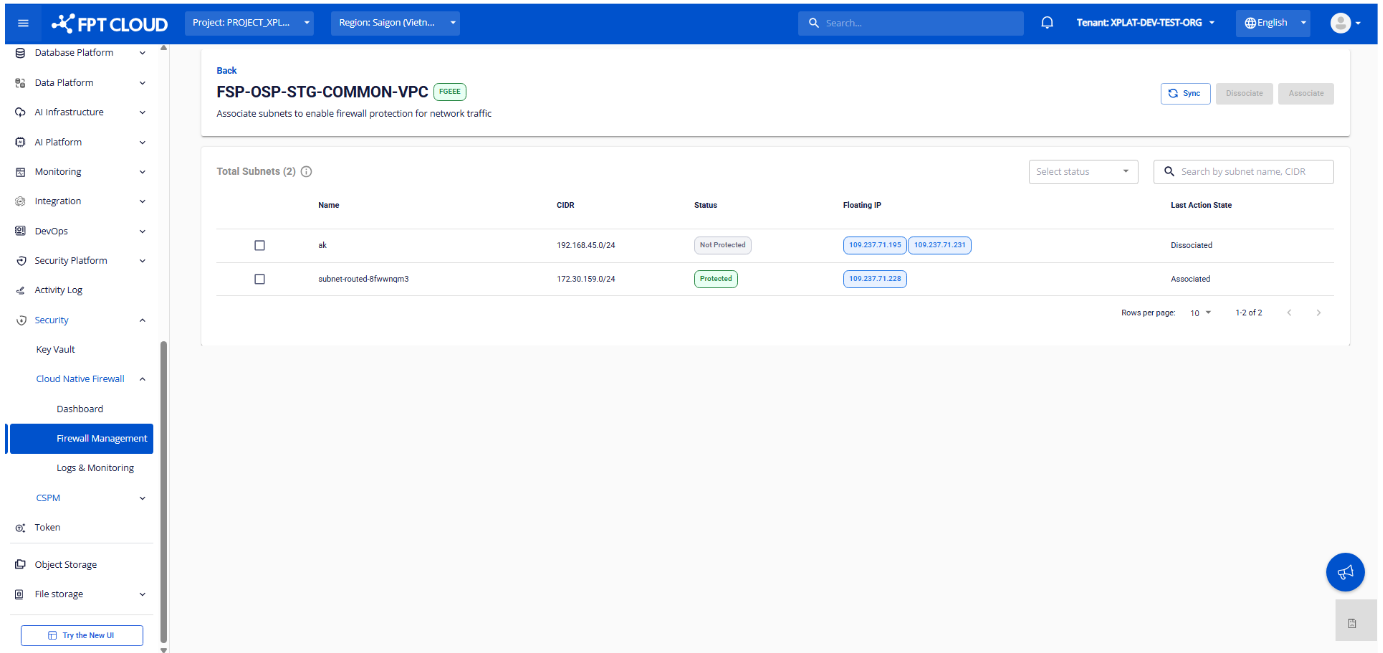
Displayed information
| Field | Description |
|---|---|
| VPC | Name of the selected VPC |
| Cloud Native Firewall | Firewall integrated with the VPC |
| Number of Total Subnets | Total number of subnets eligible to be associated |
Subnet list for the VPC:
| Column | Description |
|---|---|
| Subnet Name | Subnet name |
| Subnet CIDR | Subnet CIDR range |
| Status | Protection state: Protected / Not Protected |
| Floating IP | Floating IP attached to the subnet |
| Last Action State | Latest associate state for the subnet |
Search, filter & sync
- Filter subnets by status
- Search by: Subnet Name, CIDR
- Sync to fetch the latest subnet list, Floating IPs, and associate/dissociate state
Step 3. Associate or dissociate a subnet.
Associate:
- Pick a subnet with status
Not Protected. - Click Associate.
- Confirm in the popup.
Dissociate:
- Pick a subnet with status
Protected. - Click Dissociate.
- Confirm in the popup.
Notes:
- Only one subnet can be processed at a time.
- Only subnets of type Routed are shown.
Step 4. Check the result.
| State | Last Action State | Status |
|---|---|---|
| Processing | In Progress | — |
| Associate failed | Associate Failed | — |
| Dissociate failed | Dissociate Failed | — |
| Associated successfully | Associated | Protected |
| Dissociated successfully | Dissociated | Not Protected |