View Network Access Rule
Overview
- This feature lets users view, manage, and configure Network Access Rules for the Cloud Native Firewall.
- Rules control traffic (Allow/Deny) between sources and destinations based on the configured conditions.
- Rules take effect only after the user clicks Apply Policy.
Procedure
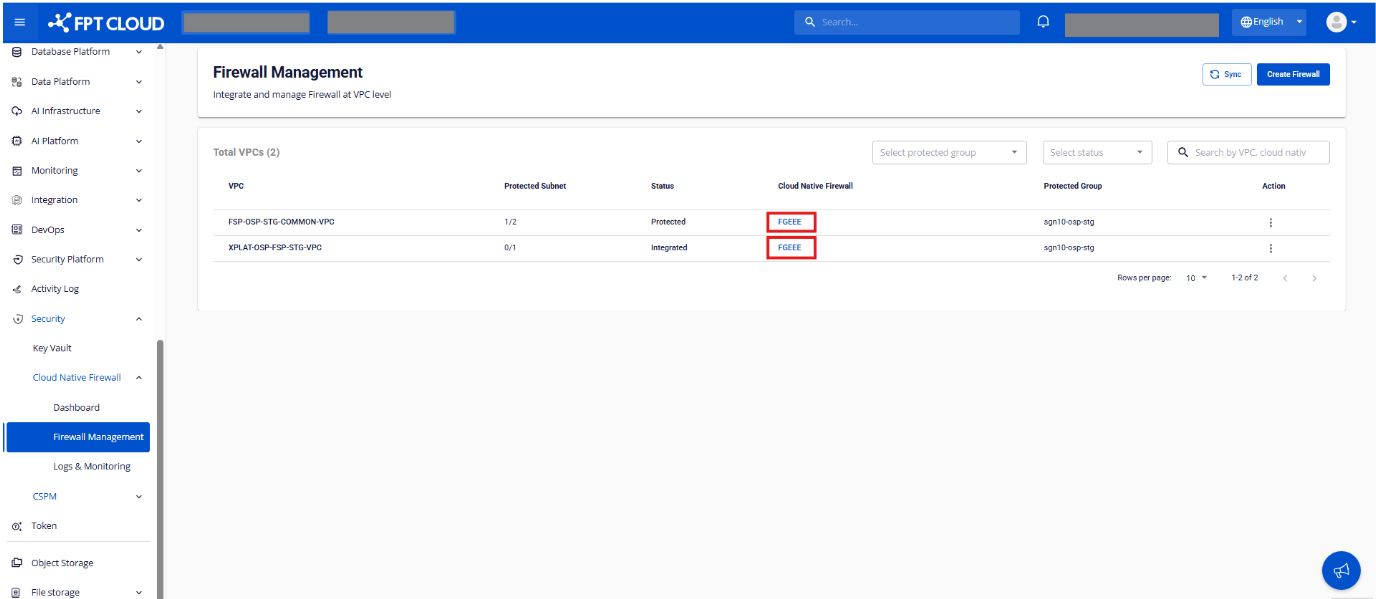
Step 1. On the Firewall Management screen, click the Firewall name in the Cloud Native Firewall column.
Step 2. The system displays the Network Access Rule list.
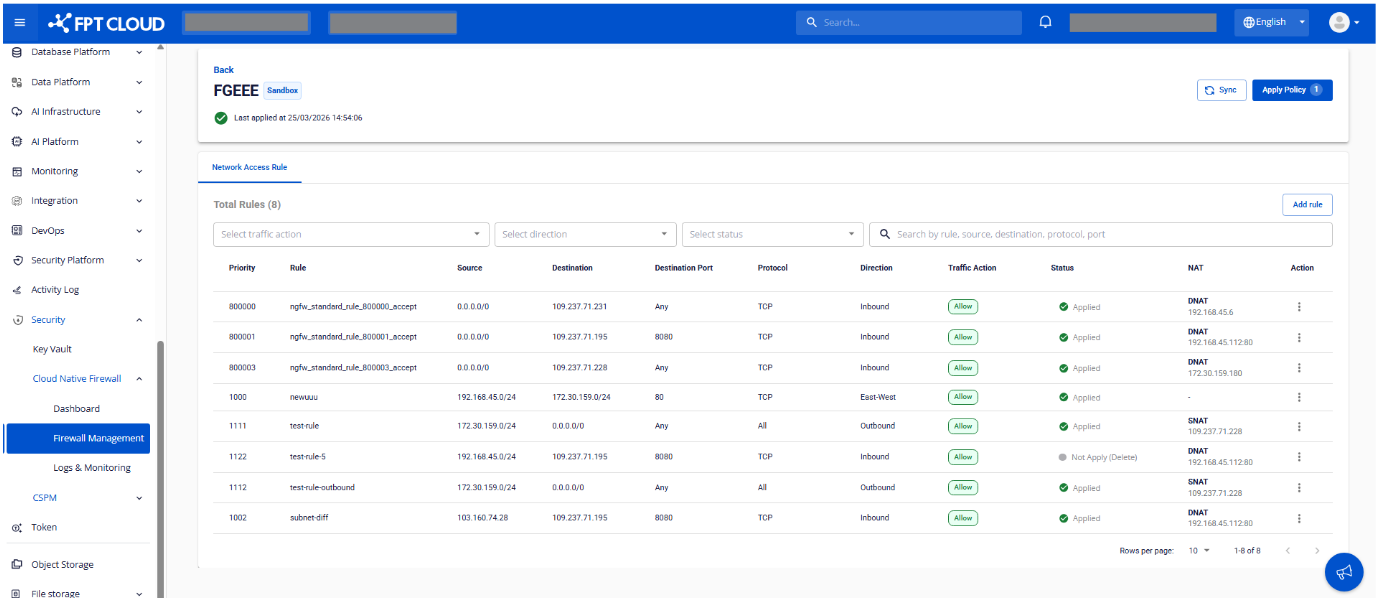
General information
| Field | Description |
|---|---|
| Firewall / Package | Identifies the firewall and the policy package being configured |
| Applied Status | Policy apply state: applied / not applied / applying |
| Last Applied Time | Time the policy was last applied |
Rule list
| Column | Description |
|---|---|
| Priority | Priority (lower values are evaluated first) |
| Rule Name | User-defined rule name |
| Source | Source IP/CIDR |
| Destination | Destination IP/CIDR |
| Destination Port | Port or port range the rule applies to |
| Protocol | Protocol: TCP / UDP / ICMP / All |
| Direction | Traffic direction: Inbound (from the Internet) / Outbound (from internal to external) / East-West (internal to internal) |
| Traffic Action | Action: Allow / Deny |
| NAT | NAT configuration: SNAT (hide internal IP) / DNAT (map public IP → private) / none |
| Status | Rule state: Applied / Not Applied / Applying |
Search, filter & quick actions
- Filter rules by: traffic action, direction, status
- Search by: rule name, source, destination, protocol, port
- Sync to fetch the rule list with the latest status
- Quick actions: Add Rule, Edit Rule, Delete Rule, Apply Policy