Hướng dẫn cấu hình Auto Scale sử dụng GPU Custom Metric
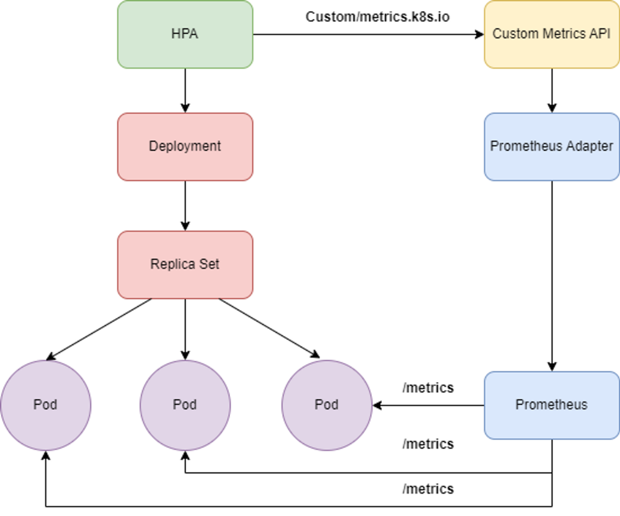
Kubernetes hỗ trợ tự động auto scale dựa trên các custom metric như GPU metric bằng cách kết hợp với Prometheus. Bài viết này giới thiệu cách cấu hình Auto Scale cho các ứng dụng sử dụng GPU chạy trên nền tảng FPT Kubernetes Engine.
Yêu cầu
- Cụm Kubernetes có gắn GPU.
- Ứng dụng sử dụng GPU đang ở trạng thái running.
Các bước cấu hình
Bước 1: Cài đặt các gói kube-prometheus-stack và prometheus-adapter
Cách 1: Sử dụng dịch vụ FPT App Catalog
- Sử dụng dịch vụ FPT App Catalog, tạo App Catalog sau đó chọn mục Connect Cluster để connect đến Cluster GPU.
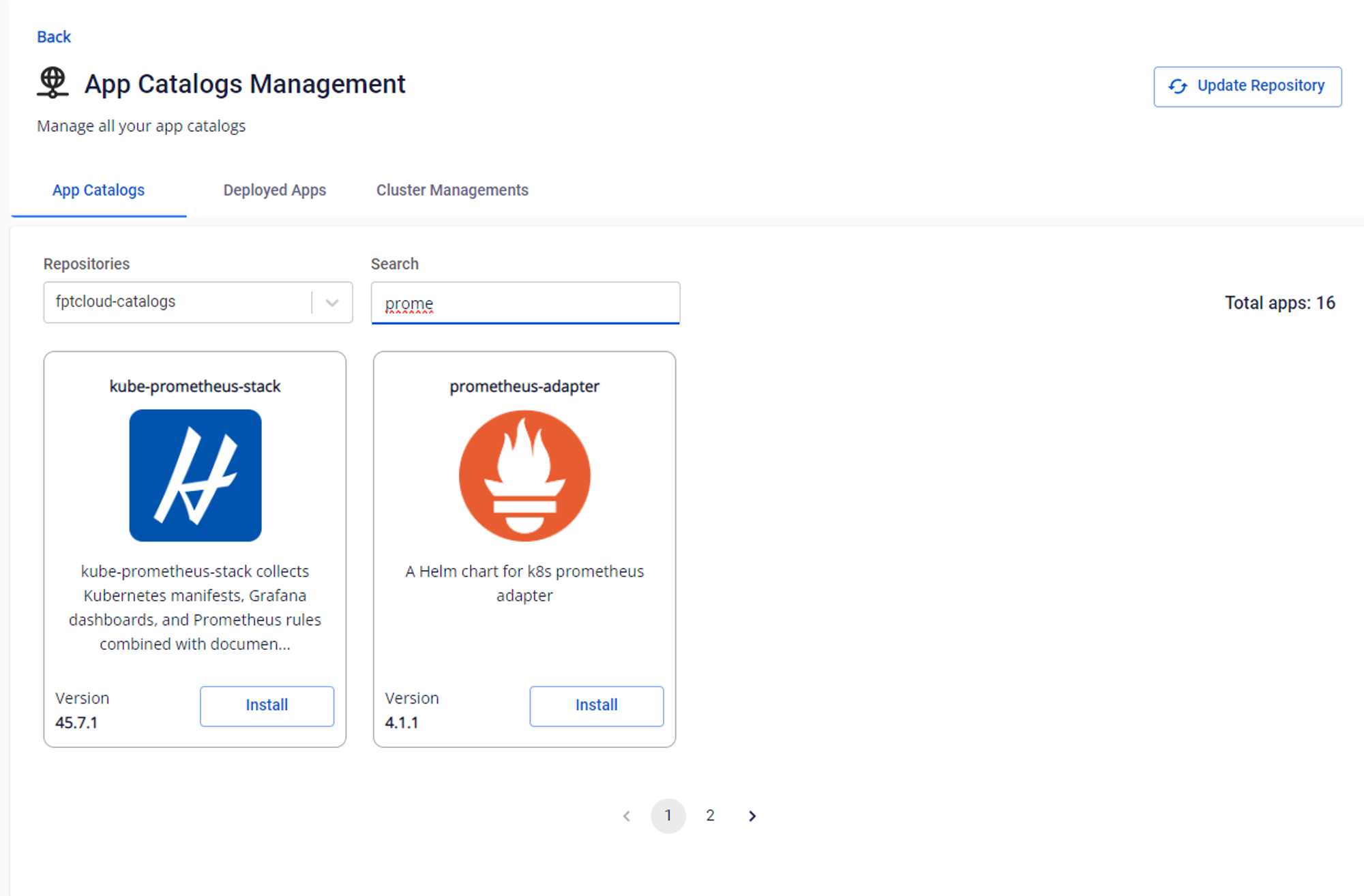
- Tại Menu App Catalogs, chọn Repositories là fptcloud-catalogs, phần search bấm prometheus sau đó chọn install gói kube-prometheus-stack, điền Release name và Namespace để triển khai gói.
Cách 2: Sử dụng Helm chart
helm repo add xplat-fke https://registry.fke.fptcloud.com/chartrepo/xplat-fke && helm repo update
helm install --wait --generate-name \
    -n prometheus --create-namespace \
    xplat-fke/kube-prometheus-stack
prometheus_service=$(kubectl get svc -n prometheus -lapp=kube-prometheus-stack-prometheus -ojsonpath='{range .items[*]}{.metadata.name}{"\n"}{end}')
helm install --wait --generate-name \
    -n prometheus --create-namespace \
    xplat-fke/prometheus-adapter \
    --set prometheus.url=http://${prometheus_service}.prometheus.svc.cluster.local
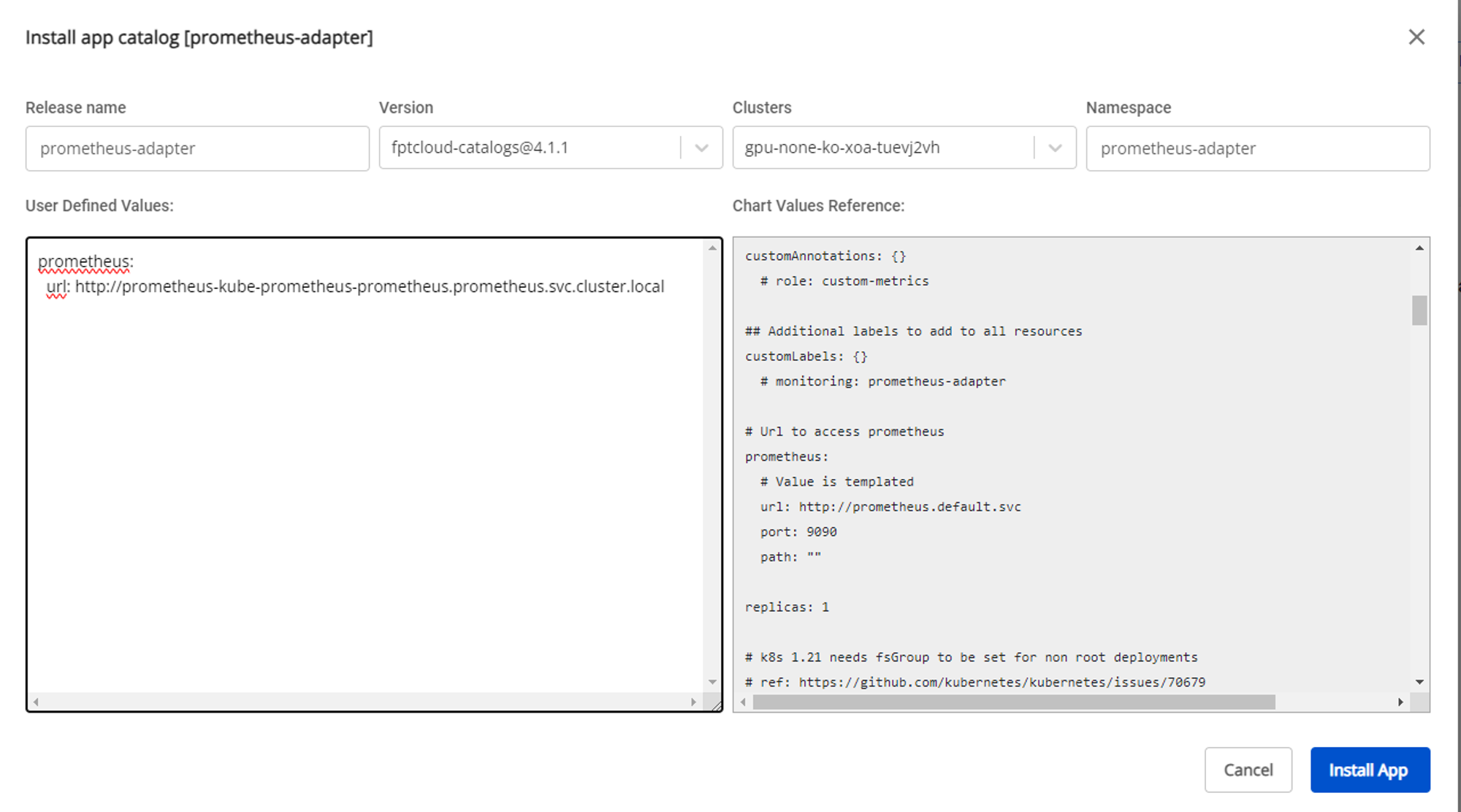
Sau khi deploy xong gói kube-prometheus-stack, ta tiếp tục deploy prometheus-adapter; tuy nhiên ta cần thay đổi values của gói để trỏ đúng prometheus service của kube-prometheus-stack. Ví dụ với namespace của kube-prometheus-stack đặt là prometheus thì values cần điền vào là:
prometheus-kube-prometheus-prometheus.prometheus.svc.cluster.local
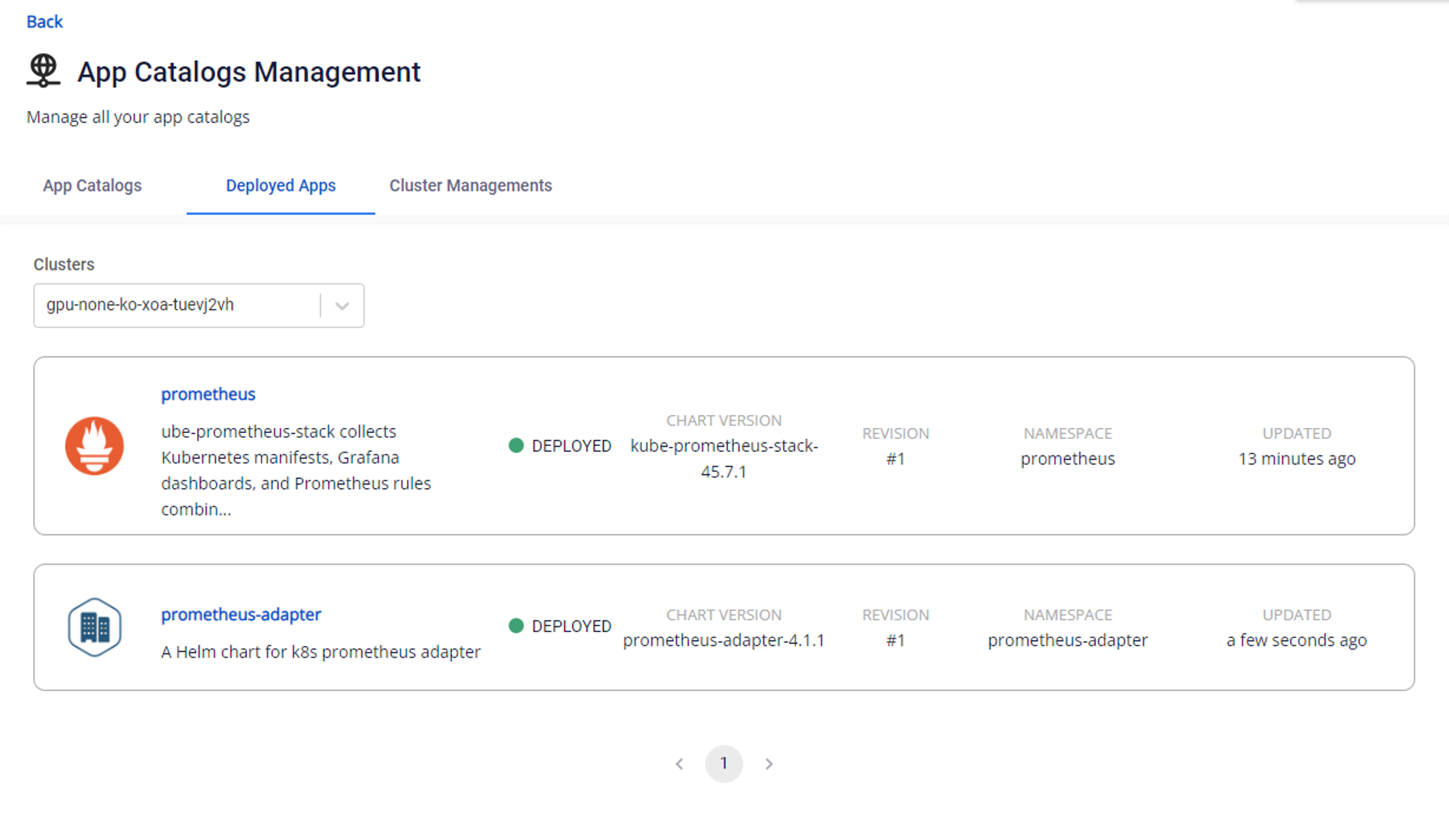
Sau đó kiểm tra trạng thái của hai gói trên:
Bước 2: Cấu hình Horizontal Pod Autoscaler cho ứng dụng GPU
Horizontal Pod Autoscaler (HPA) tự động scale các Pod để đáp ứng điều kiện được đưa ra trong cấu hình. Ở phần trên khi cấu hình xong prometheus-adapter sẽ export ra các Custom Metric của DCGM để theo dõi workload của GPU.
Ví dụ một file manifest HPA:
apiVersion: autoscaling/v2
kind: HorizontalPodAutoscaler
metadata:
  name: my-gpu-app
spec:
  maxReplicas: 3  # Update this accordingly
  minReplicas: 1
  scaleTargetRef:
    apiVersion: apps/v1beta1
    kind: Deployment
    name: my-gpu-app # Add label from Deployment we need to autoscale
  metrics:
    - type: Pods  # scale pod based on gpu
      pods:
        metric:
          name: DCGM_FI_PROF_GR_ENGINE_ACTIVE # Add the DCGM metric here accordingly
        target:
          type: AverageValue
          averageValue: 0.8
Tham khảo thêm tài liệu của NVIDIA về các DCGM metric: link.
Sau đó kiểm tra HPA vừa khởi tạo:
kubectl get hpa -A