8. Alerting
The Alerting feature in Grafana lets you configure alert rules based on thresholds and conditions for your metric and log data, so your team is automatically notified when incidents occur.
Step 1. Sign in to the dashboard (see section 7.1. Access the dashboard).
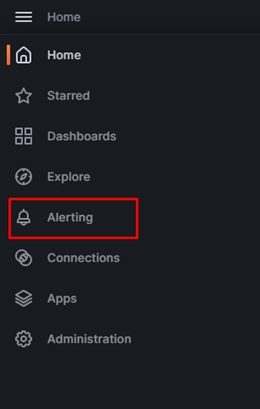
Step 2. In the left menu, click Home > Alerting.
Step 3. To create an alert rule, refer to Create an alert rule.