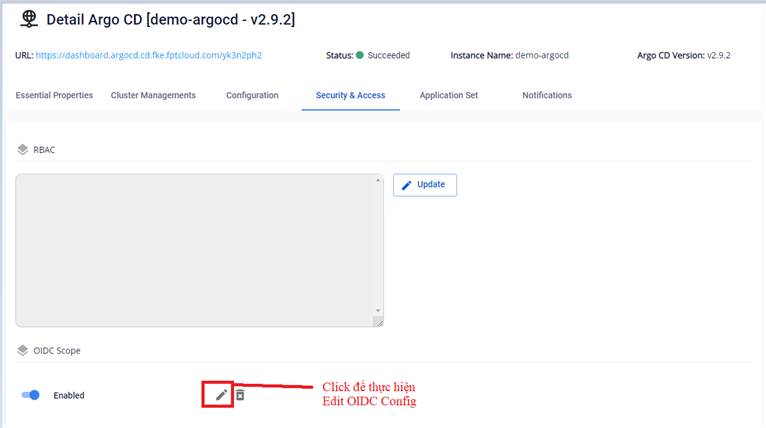
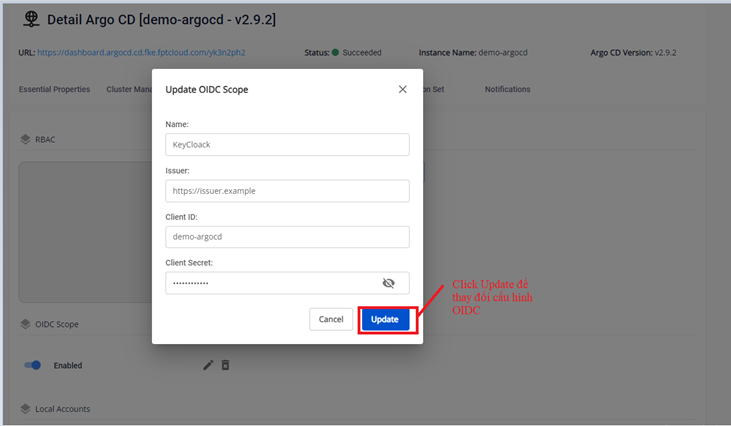
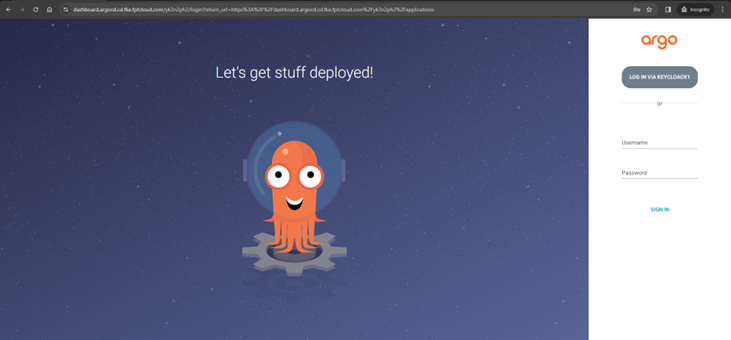
FPT DevSecOps ServicesFPT ArgoCDTutorialsOIDC SSO ConfigurationUpdate OIDC configurationUpdate OIDC configuration On the Security & Access > OIDC Scope screen, click Edit for the OIDC config you want to update. Update the OIDC information you want to change: Name, Issuer, ClientID, or Client Secret. Result after updating: