Configure notification channels
FPT Cloud allows adding and editing notification channel configurations as follows:
A. Telegram
1. Add a new Telegram config
Step 1. On the Notifications > Telegram screen:
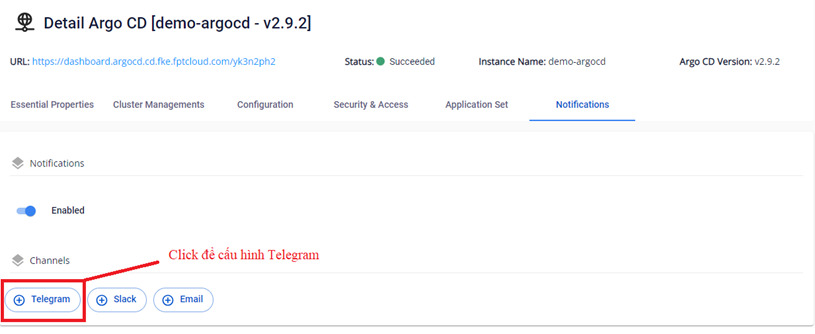
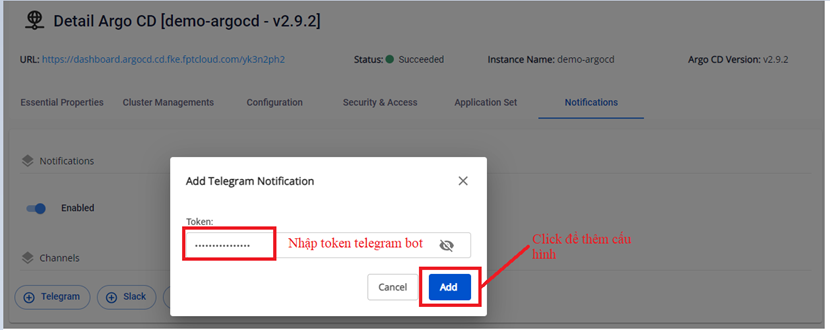
Step 2. Configure the Token to send notifications to Telegram.
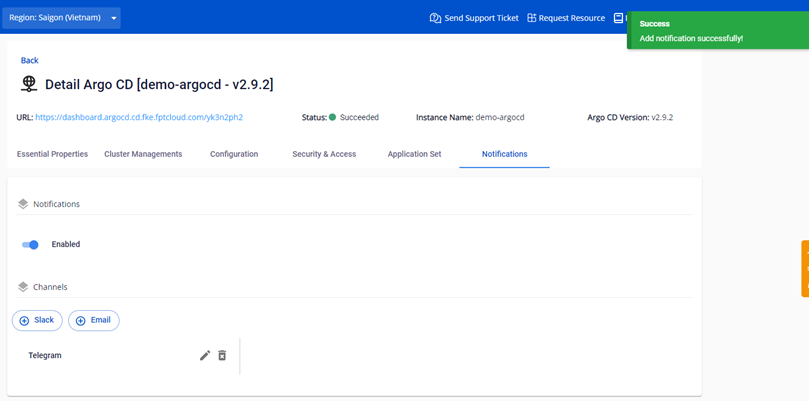
Step 3. Result after configuration:
2. Edit Telegram config
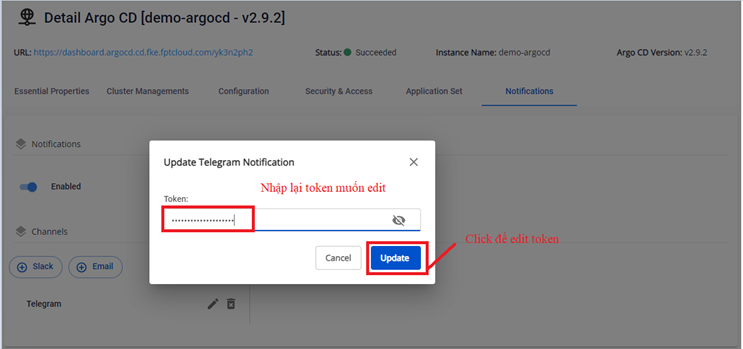
Users can also edit the Telegram configuration as follows:
Step 1. On the Notifications > Telegram screen:
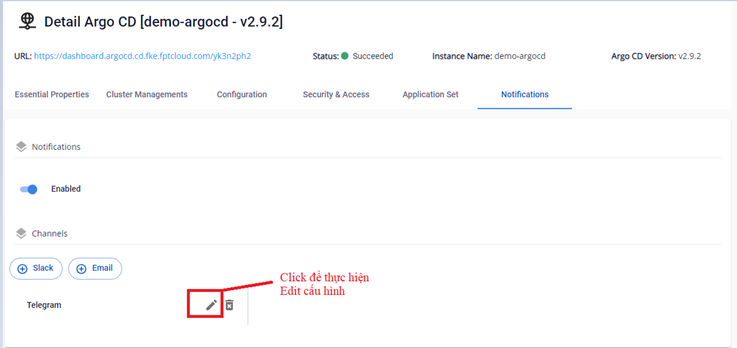
Step 2. Reconfigure the Token to send notifications to Telegram.
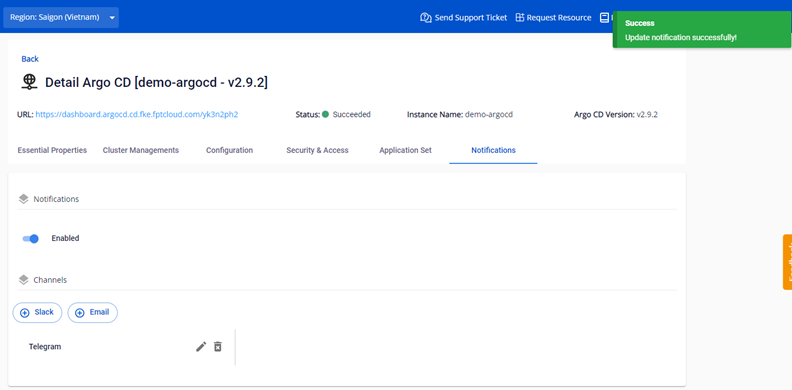
Step 3. Result after configuration:
3. Delete Telegram config
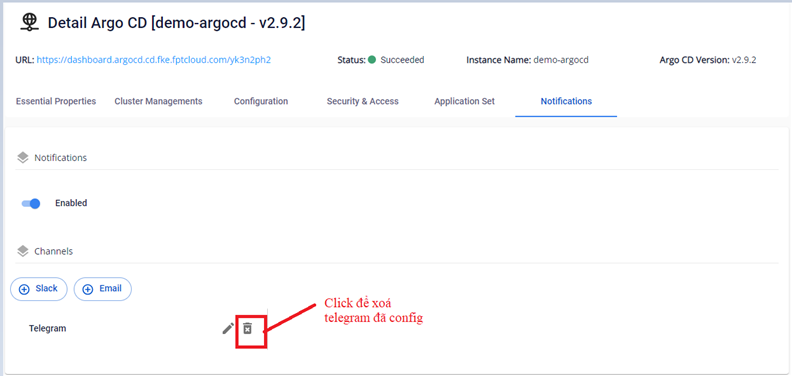
To delete the configuration:
Step 1. On the Notifications > Telegram screen:
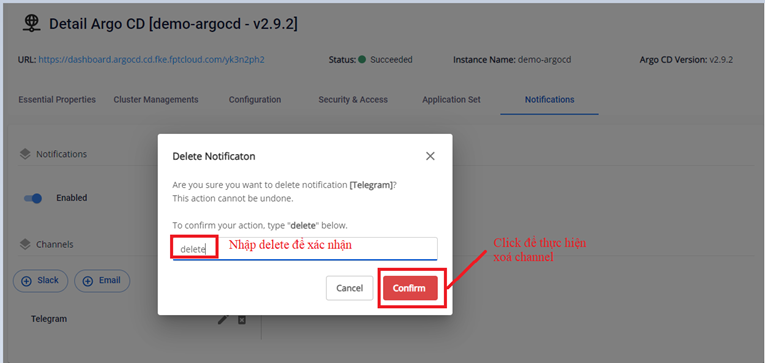
Step 2. Enter the confirm text to delete the Telegram channel:
Step 3. Result after deleting the Telegram channel:
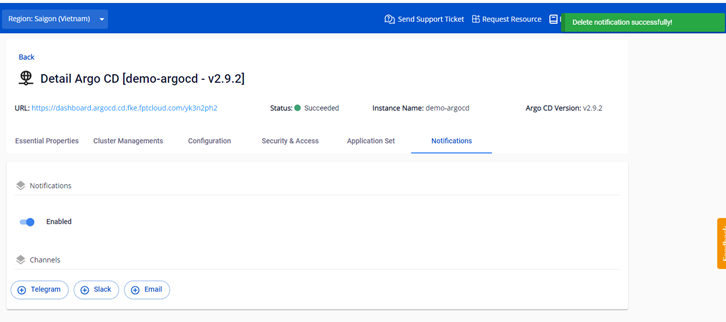
B. Slack
1. Add a new Slack config
Step 1. On the Notifications > Slack screen:
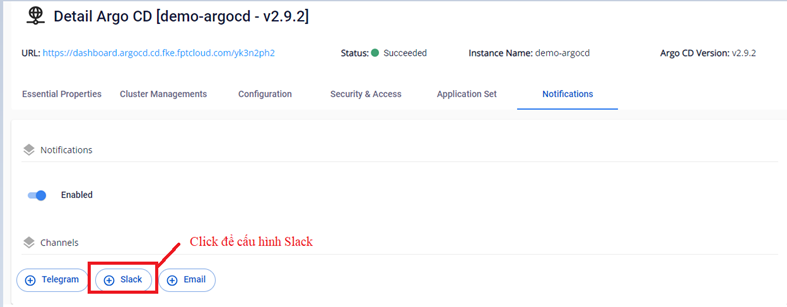
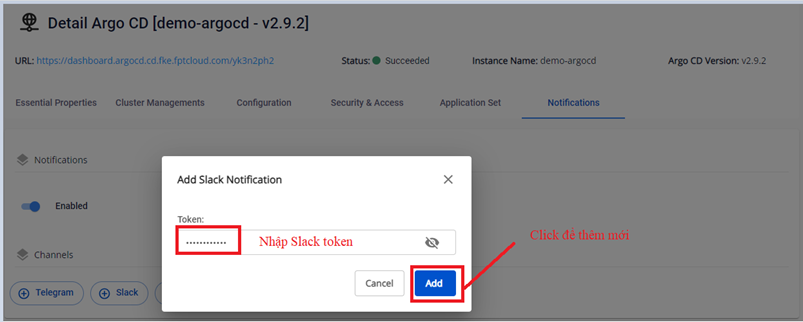
Step 2. Configure the Slack token to send notifications to Slack.
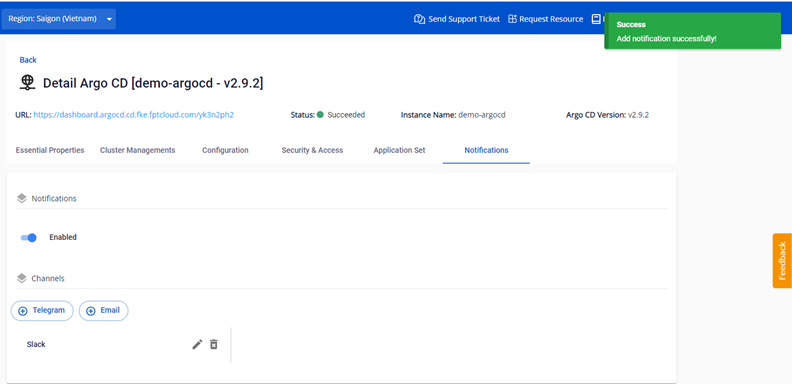
Step 3. Result after a successful configuration:
2. Edit Slack config
Step 1. On the Notifications > Slack screen:
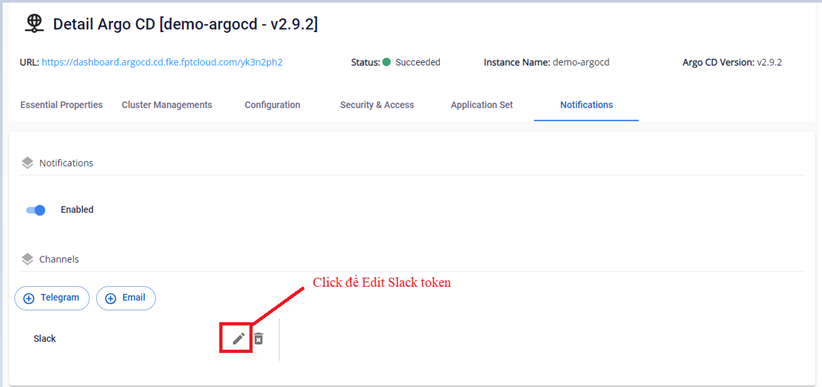
Step 2. Update the Slack token configuration to send notifications to Slack.
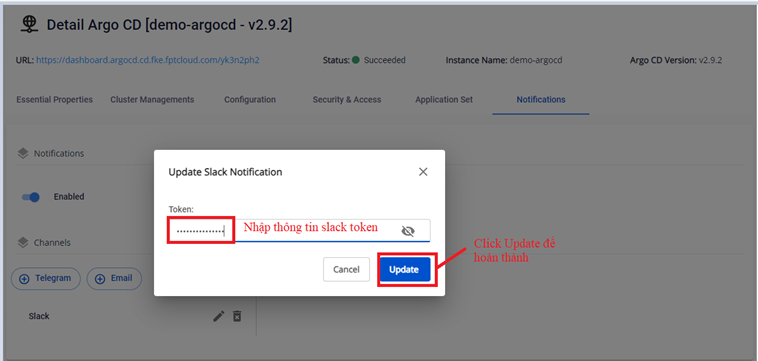
Step 3. Result after a successful configuration:
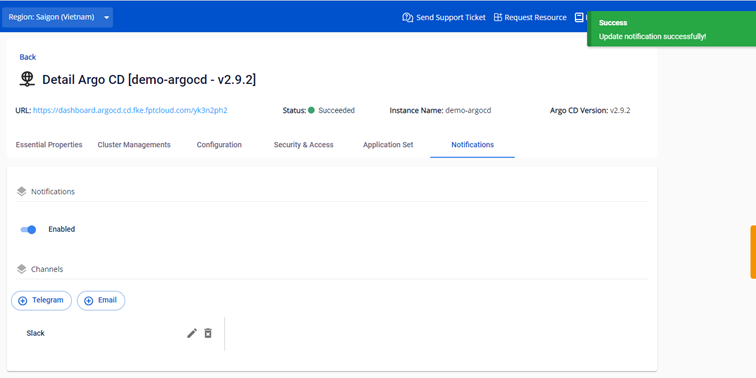
3. Delete Slack config
Step 1. On the Notifications > Slack screen:
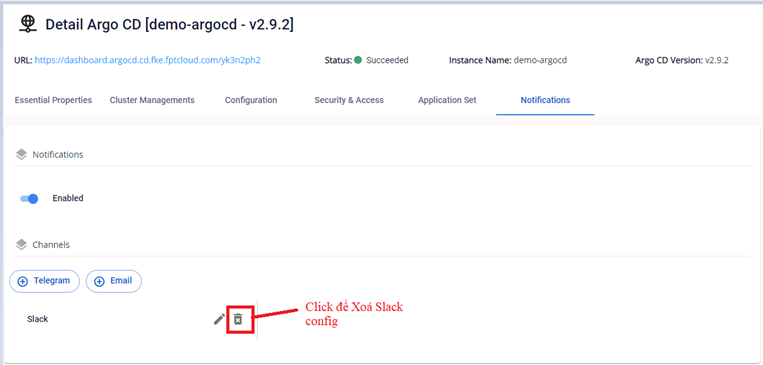
Step 2. Enter the confirm text to delete:
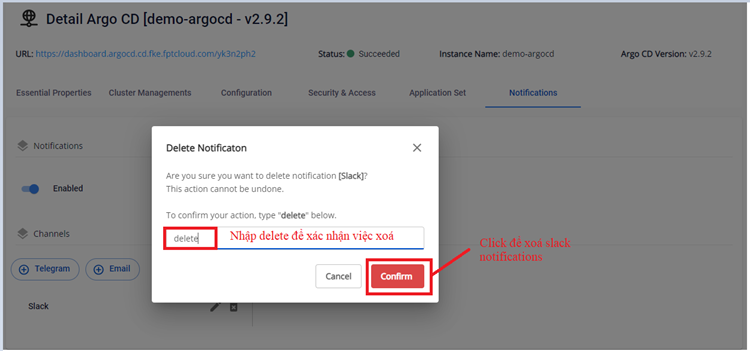
Step 3. Result after a successful configuration:
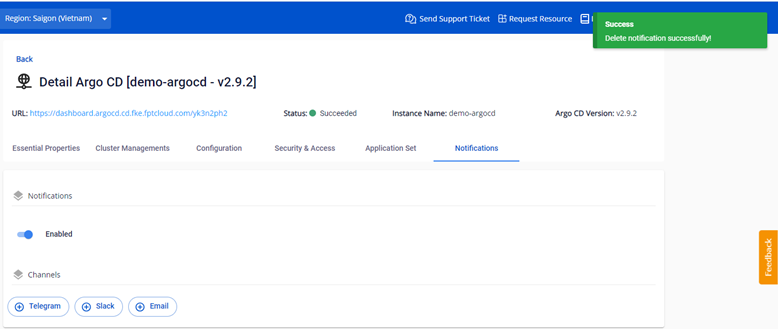
D. Email
1. Add a new Email config
Step 1. On the Notifications > Email screen:
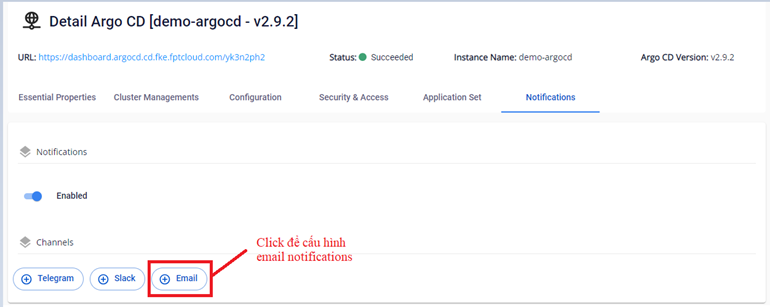
Step 2. Configure Email settings to send notifications to Email.
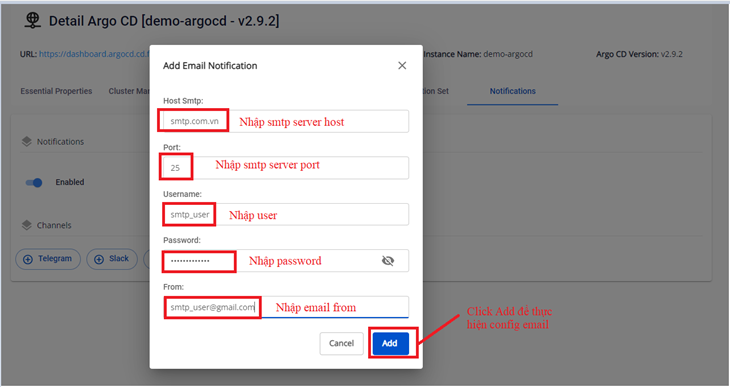
Step 3. Result after a successful configuration:
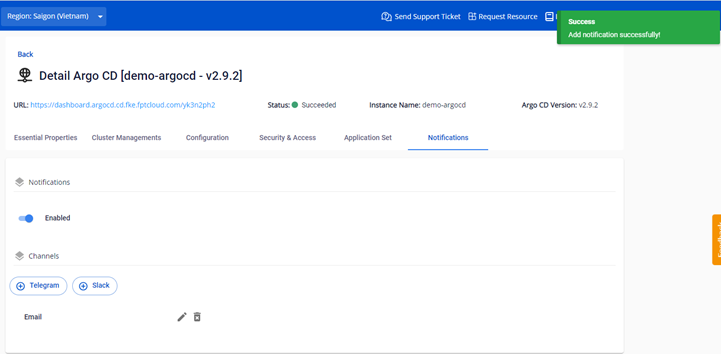
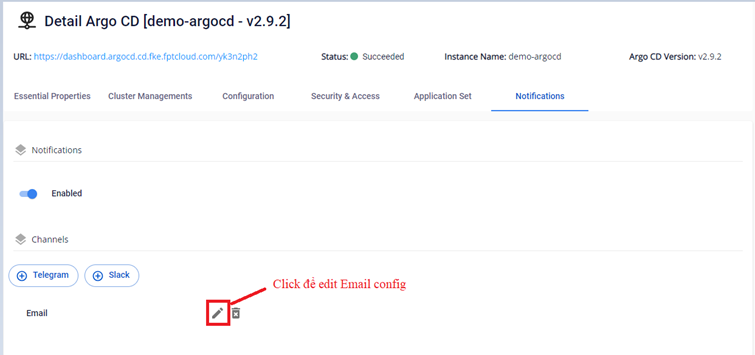
2. Edit Email config
Step 1. On the Notifications > Email screen:
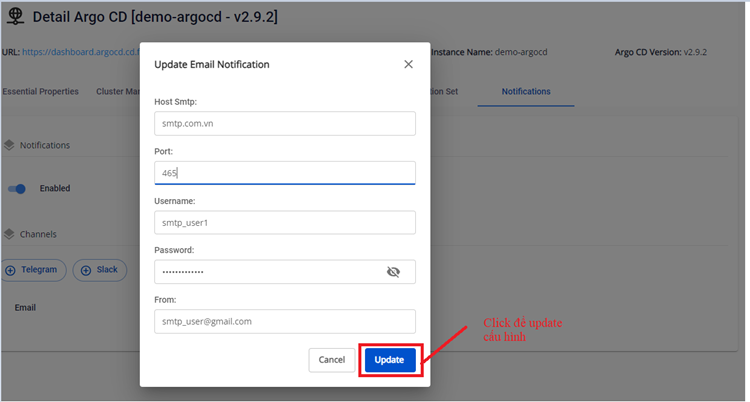
Step 2. Update the Email configuration. You can change settings including SMTP Host / smtp port / username / password / from user.
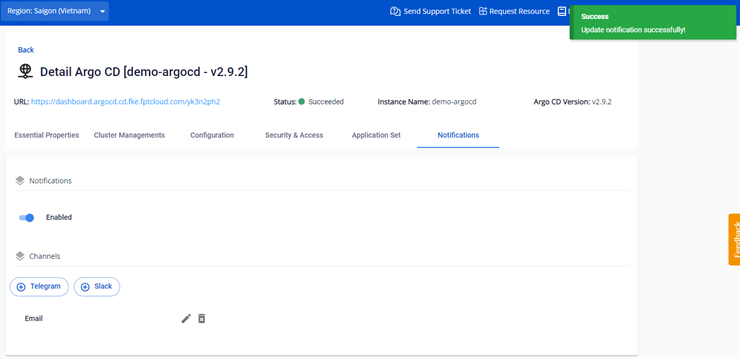
Step 3. Result after a successful configuration:
3. Delete Email config
Step 1. On the Notifications > Email screen:
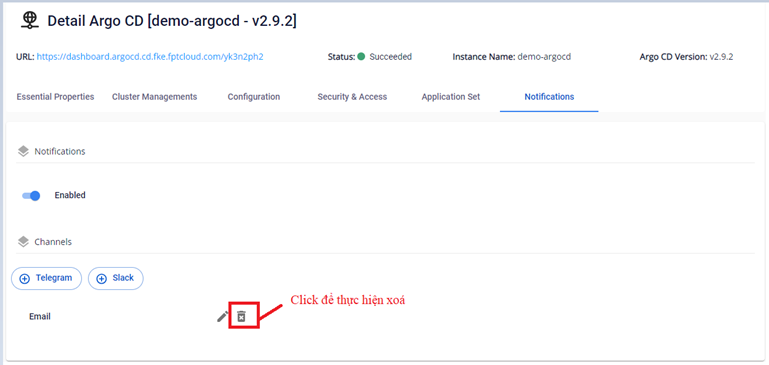
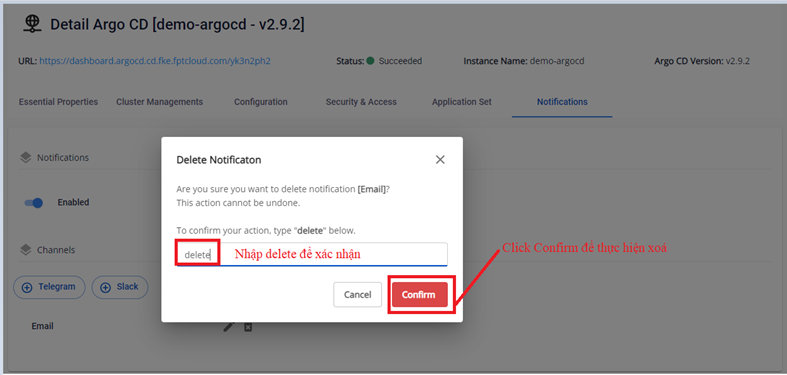
Step 2. Enter the confirm text to delete:
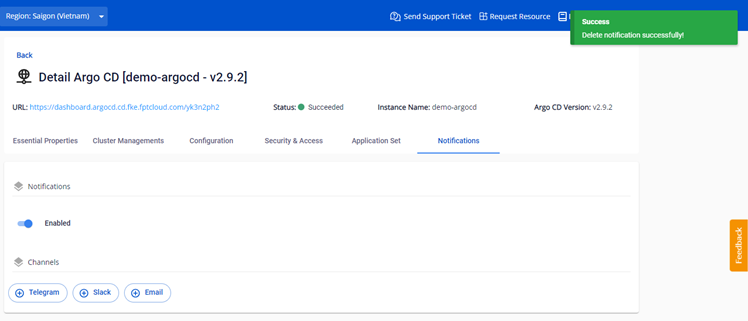
Step 3. Result after a successful configuration:
For detailed integration with applications, refer to Demo > Configure notifications to receive alerts.