Ubuntu Use Cases
Create a Remote Environment using Ubuntu
This use case involves creating a remote environment from Ubuntu template, then connecting via SSH to install the necessary PyTorch library to prepare it for your AI workload.
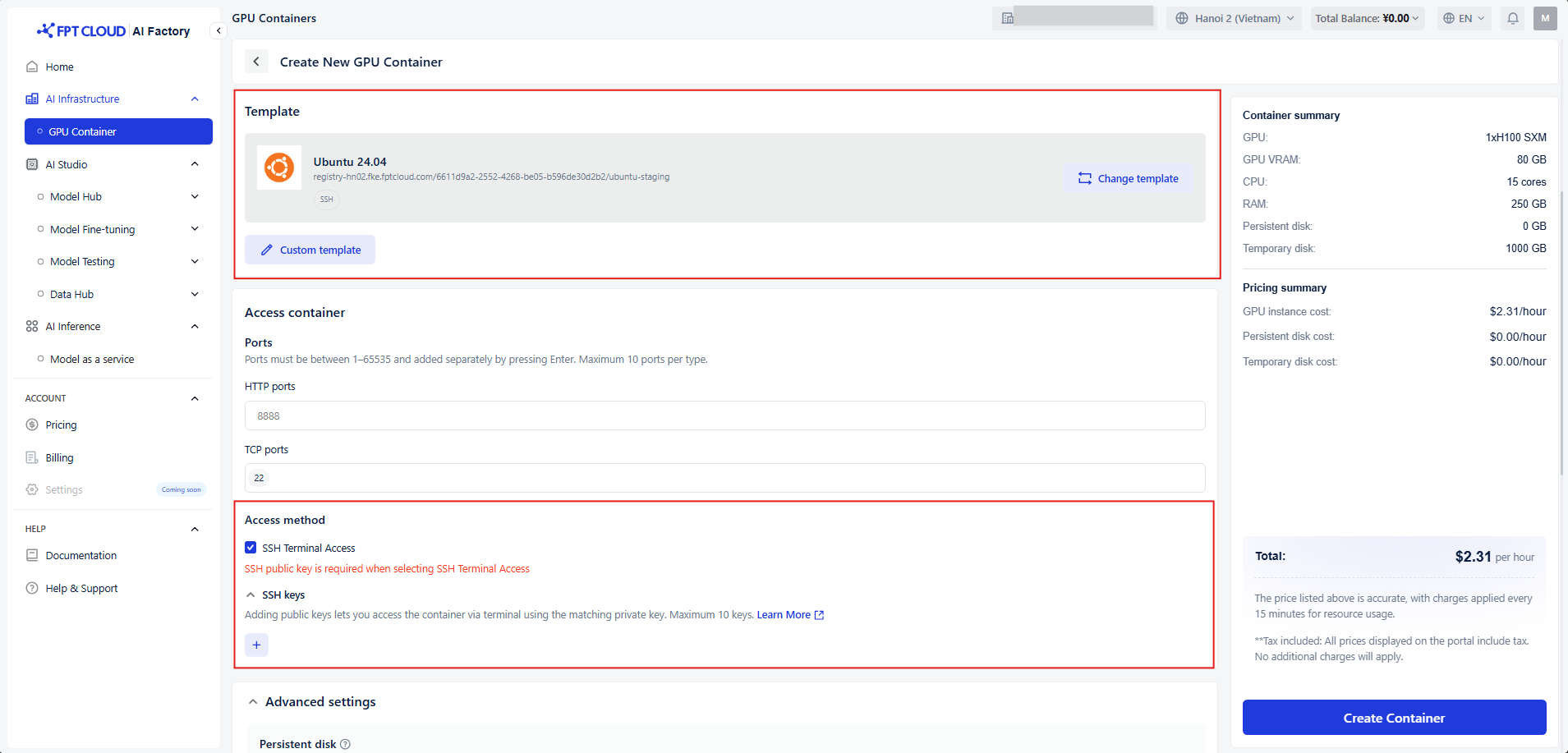
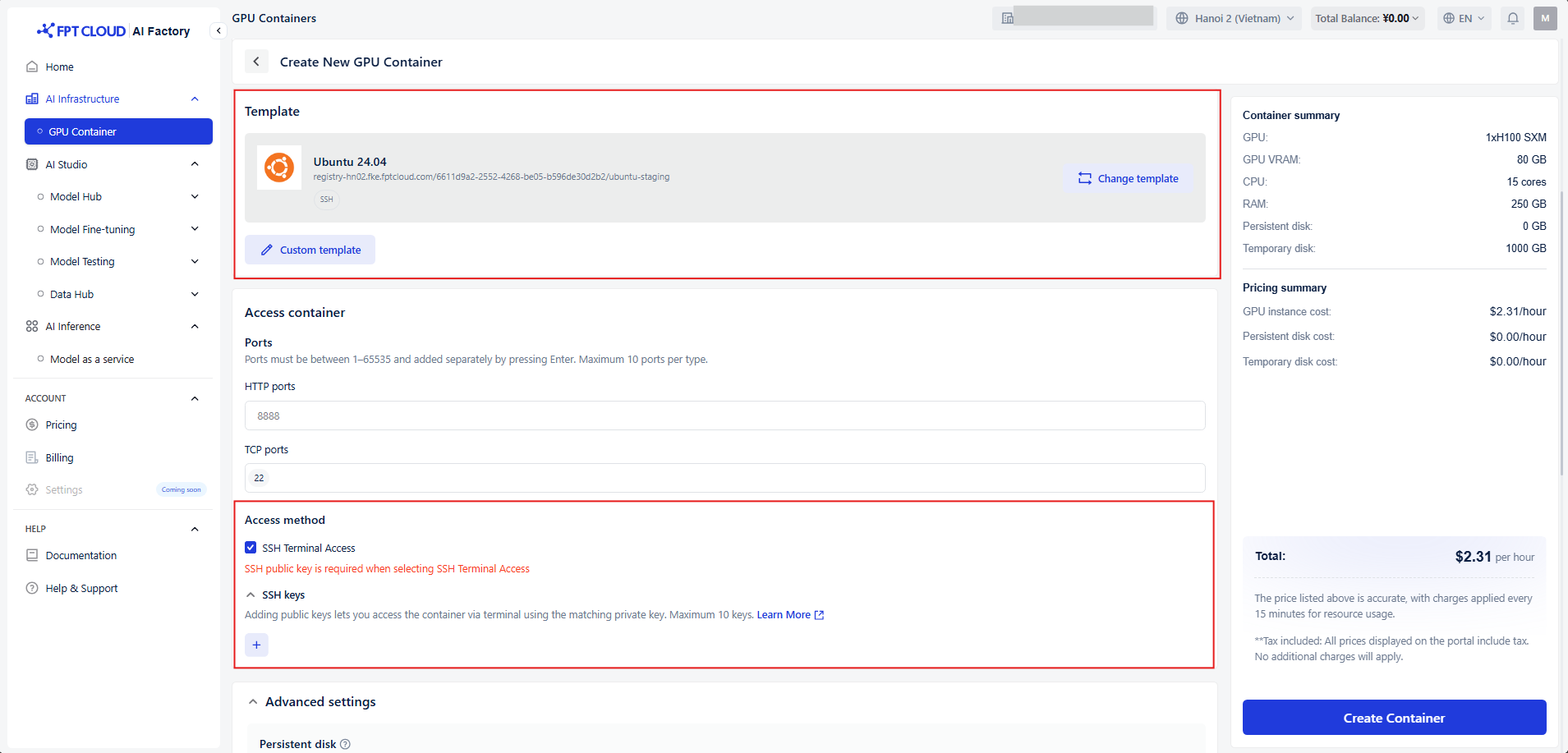
Step 1: Create a GPU Container using Ubuntu template
-
Choose Ubuntu template
-
Select SSH Terminal Access and add your public keys
Step 2: Connect your container via SSH
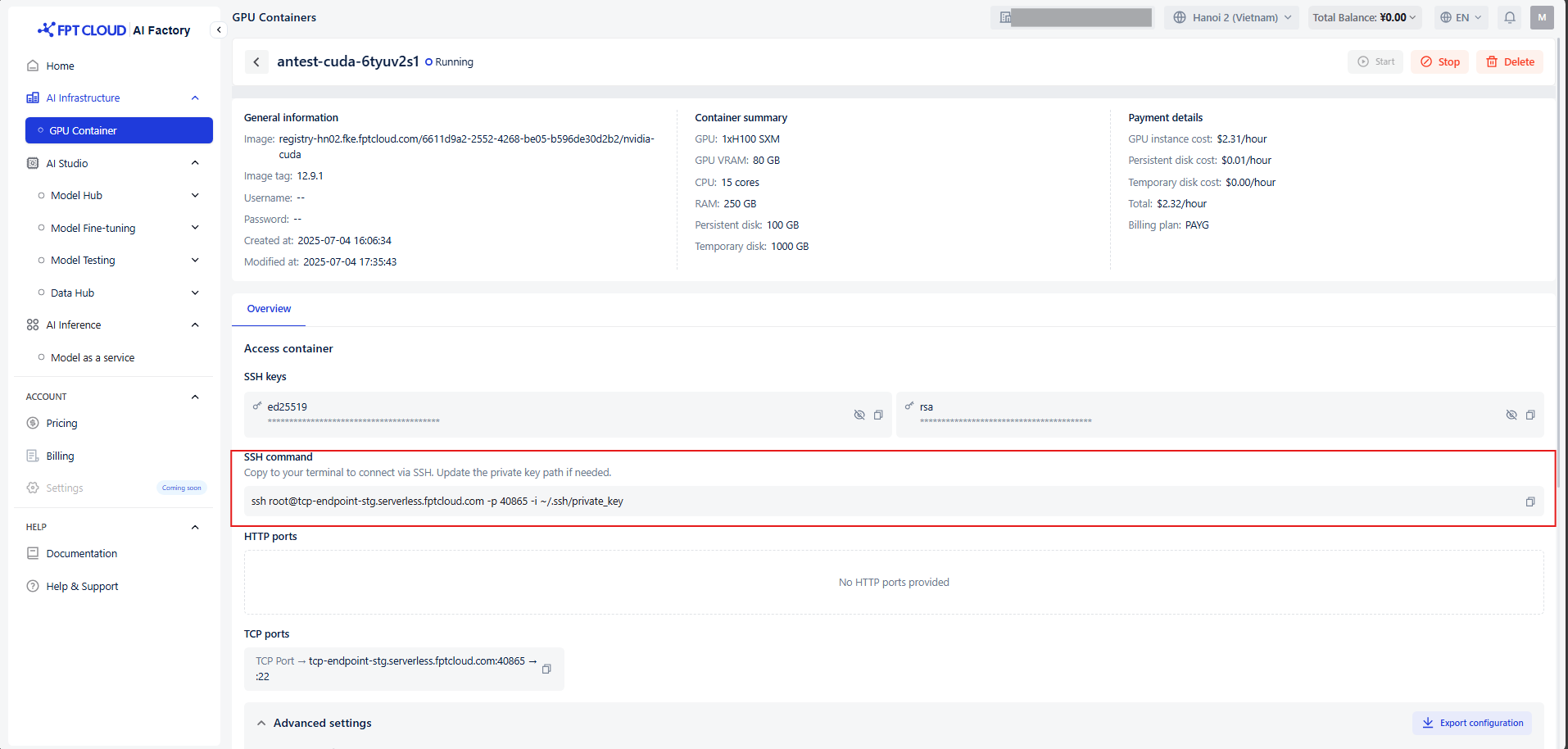
To connect via SSH, copy the command and paste it into your terminal. You can use any terminal application, such as Command Prompt, PowerShell, or the integrated terminal in VS Code. This use case will use VSCode.
See our detailed guide here /for a full walkthrough.
Step 3: Setting Up Your Environment
- Install python3
apt update && apt install -y wget gnupg2 curl software-properties-common
apt install -y python3 python3-pip python3-venv
- Install Pytorch
pip install torch torchvision torchaudio --index-url https://download.pytorch.org/whl/cu124
Check if pytorch is installed successfully
python 3
import torch
- Run a matrix algorithm
apt install vim
vim matrix_mulplication.py
python3 matrix_mulplication.py