Redeem voucher
To start using AI Factory services, you may use Top-up Credits or Voucher Credits. If you have received a voucher code —for example, as part of a promotional offer—you can apply it to redeem credits!
Notice
- The voucher must be redeemed within a validity period. Expired codes cannot be used.
- Voucher credits also expire after a validity period and cannot be used once expired.
- If you have both top-up and voucher credits, the system will deduct voucher credits first when using AI Factory services.
Add a voucher
After you have received a voucher code, follow the instructions below:
-
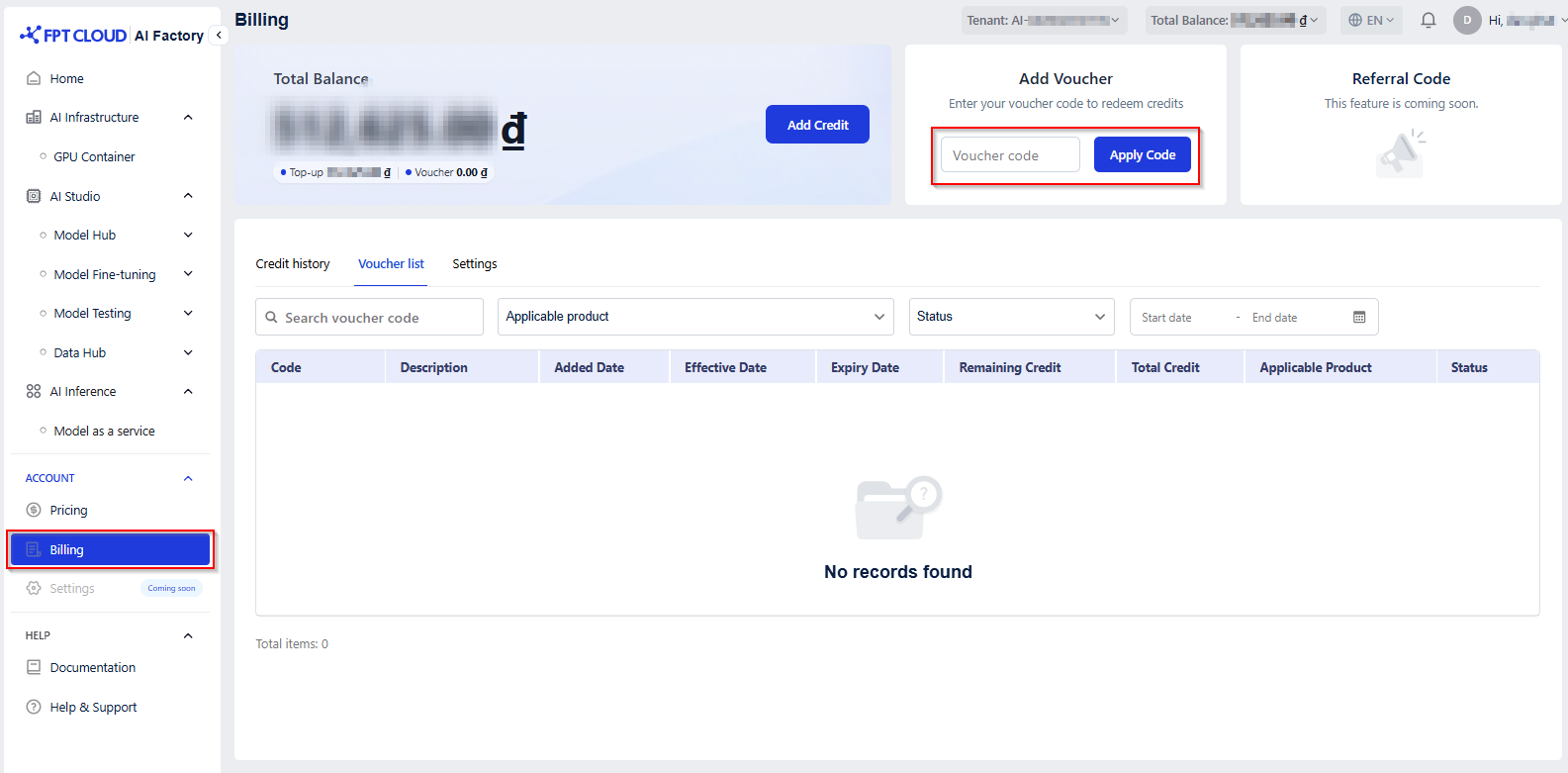
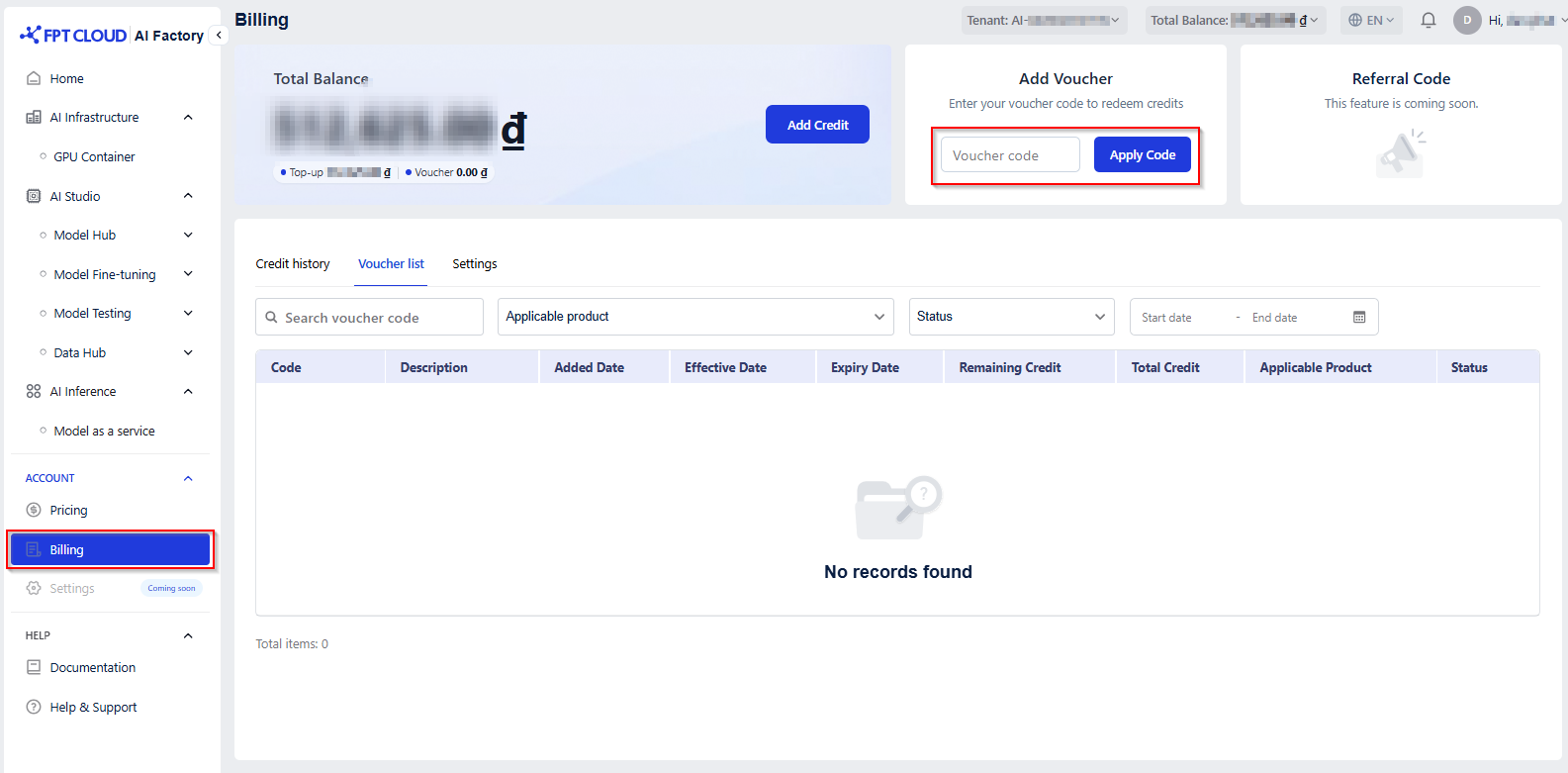
In the left-side menu, click Billing under the Account section
-
In the Add Voucher area, enter your voucher code and click Apply Code. (Note: Voucher codes consist of 10 characters, including uppercase letters and numbers.)
-
Once applied successfully, a confirmation message will appear: "** Your voucher has been applied successfully.** "

-
The applied voucher will appear under the Voucher List tab for your reference.